
I’m working on a much bigger project, but honestly, needed to take a break from that. It has been a grind. I have burned many early mornings on that.
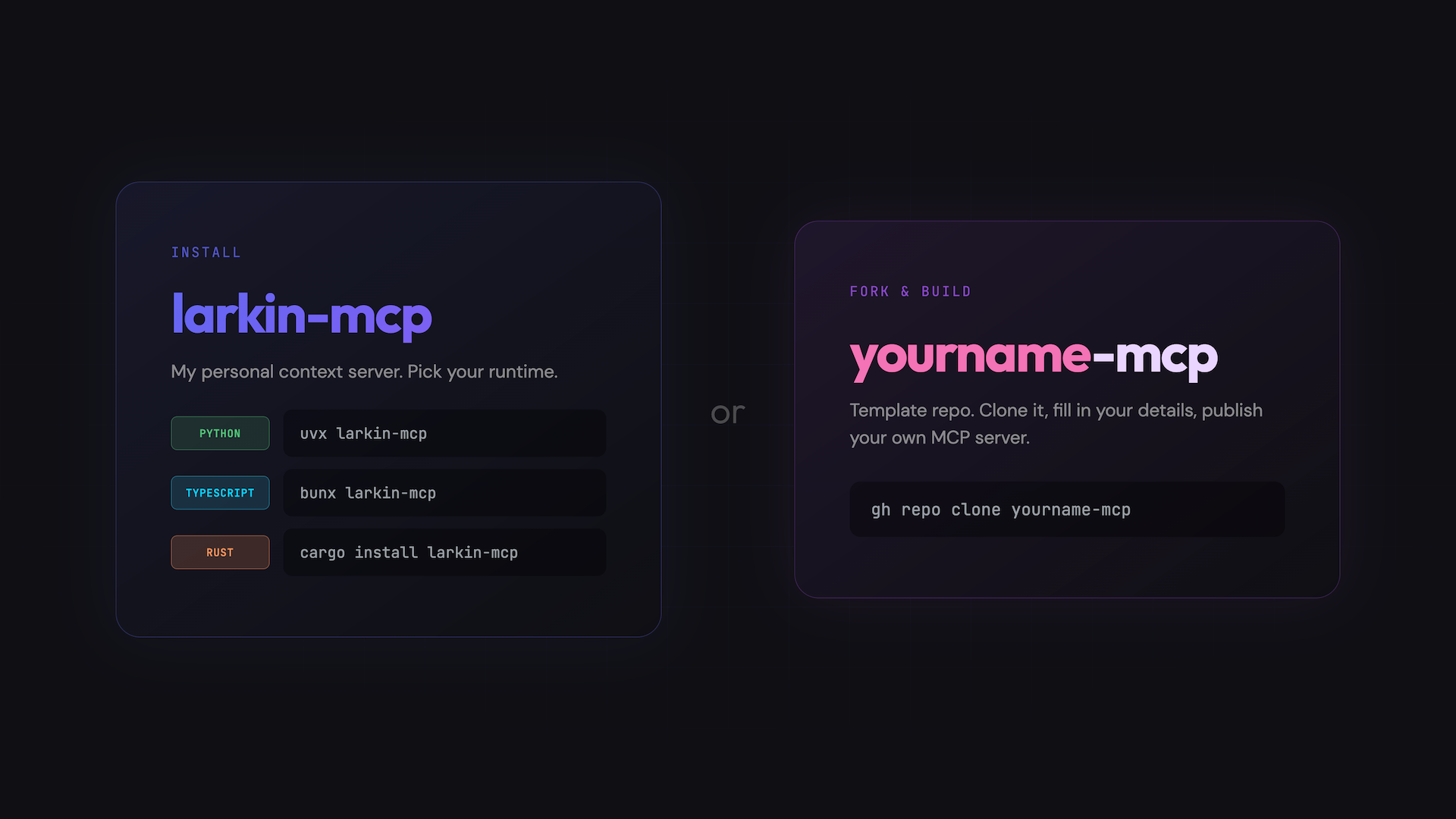
So as a break, I have wanted to explore building my own MCP server and templatizing this to make it easier for others to install and set this up as well. This is not going to be a long post, but I’m hoping the repos speak for themselves, and this provides ample motivation.
Motivation
To provide some motivation (and perhaps earn a few stars on the template repo), here are practical examples of what you can do with this specific MCP server.
Personal Insights
What do you think was John Larkin’s hardest tennis match?
Result:
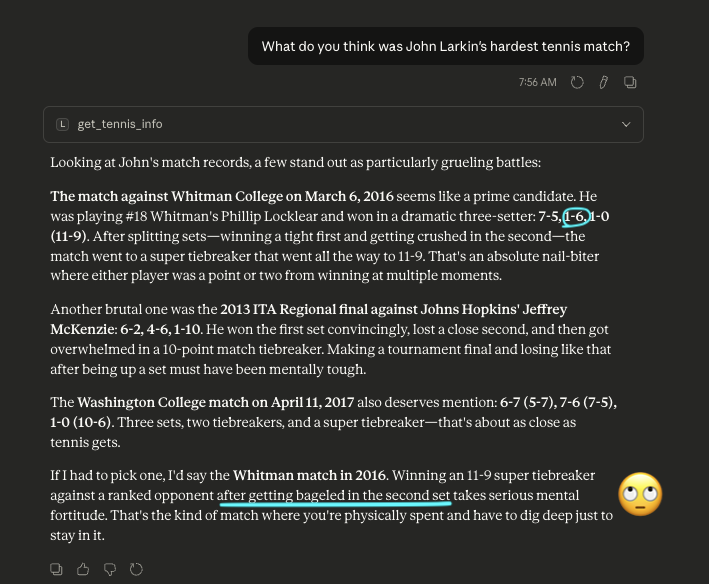
Rude!! Hallucination. I didn’t get bageled, I got breadsticked. In other words, it was 1-6 not 0-6. But yes, shoutout to Phillip Locklear…
Interactive Timeline
Example 1:
Prompt:
Can you give me John’s experience’s as a beautiful timeline? Please create a html file with that visualization
Result: View the timeline
Example 2:
Can you use your frontend-design skill and build a beautiful interactive timeline of John’s work experience and personal project timeline as a single html file visualization?
Result: View the timeline
Honestly, the second one is pretty slick although it’s a bit… vapid of personality I guess.
fwiw, here is the usage in CC:

Personalized Study Guide
Prompt:
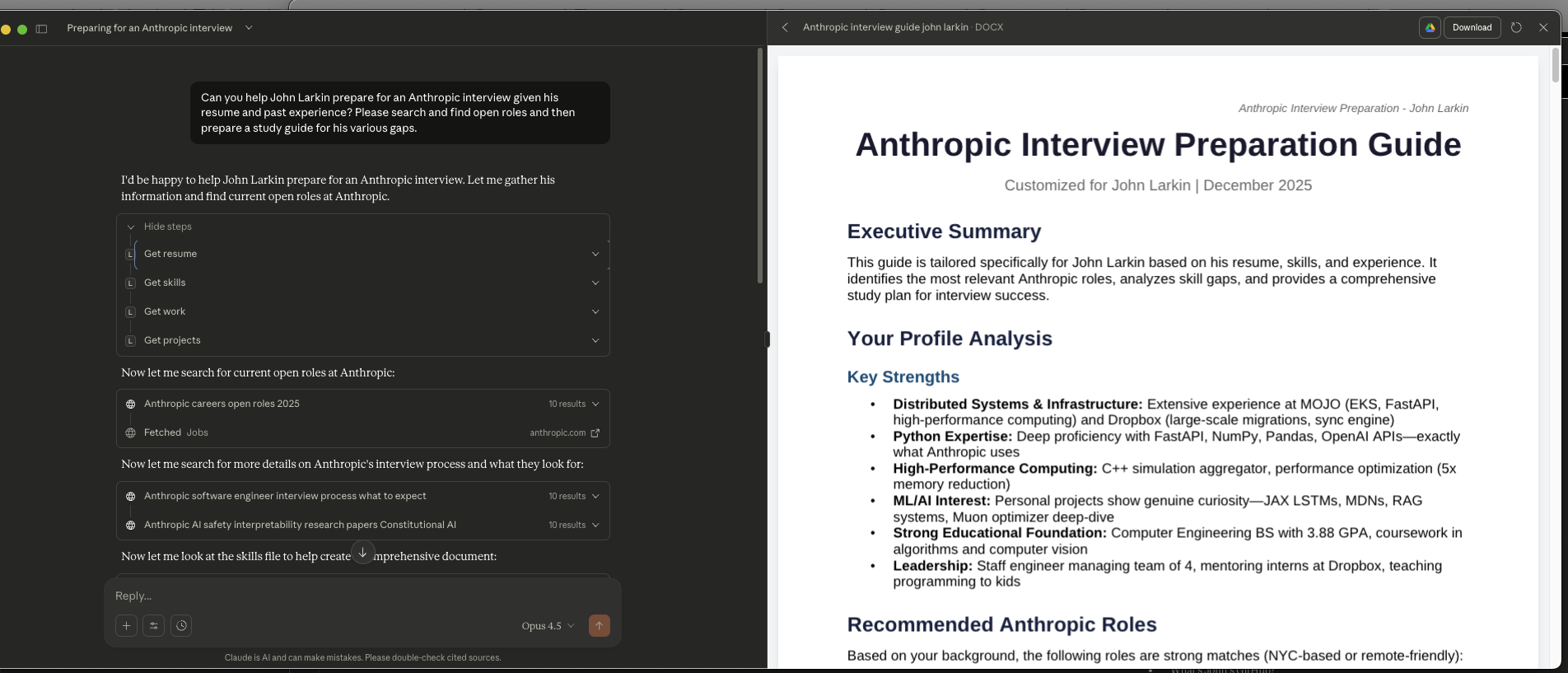
Can you help John Larkin prepare for an Anthropic interview given his resume and past experience? Please search and find open roles and then prepare a study guide for his various gaps.
Result:
Not sharing the whole thing, but you can see this from Claude Desktop:
Context
I wanted to set up a local MCP server that you can install to ask questions about the user. There are two versions:
larkin-mcp- my materialized repo that has details about myself (largely professional, markdown files are online, but I’m guessing in the age of the internet, this level of detail is fine).yourname-mcp- the templated repo where you can clone this, run a script, and optionally publish (caution: the info that you put in yourresources/contentmarkdown files will then be indexable / probably ingested from some AI… but my theory is that most of that stuff is already going to be there)
Why?
Yeah so this was something my PM girlfriend asked me almost immediately. Why do this? Can’t you just feed your resume into ChatGPT and it’ll basically be able to do the same? I think yes, partially, but (at least in my case), my resume is still missing a ton of context. So I think my response is mutli-fold:
Can’t you just feed your resume into ChatGPT and ask questions of that?
- Feeding in your resume as a
pdformdfile is going to bloat your context window. MCP provides more selective invocations. - I don’t want to do that everytime I need something with my context and personality
- It’s still missing a ton of context about who I am and some more ephemeral things about me. (note: i know that 90% of companies won’t care about that, and 99.9% of recruiters won’t care about it)
- I wanted to be able to distribute this. There’s a world I could imagine where recruiters just run
uvx larkin-mcpand then ask questions to get a feel for my work and who I am - I want to control the level of detail and insight that this MCP server has
- I wanted to build an MCP server… I hadn’t done it, even at work.
- I wanted to explore the tooling around it as well.
- I wanted to build an MCP server in Typescript and Rust explicitly, given I’m trying to work on my Rust skills and I’m less involved in those communities
- I thought it would be a useful thing to templatize and set up some infrastructure so less technical users could
git clone <repo> && ./run-install.shand that would ask them a couple of questions, analyze their resume, convert it into markdown, they could write some markdown to provide more context, and then boom, they could also publish it and others could use it if they wanted. - As stated previously, I needed a break from my other project.
And if you’re thinking like well, what about Claude memory or ChatGPT memory?, I’m really not a fan of that. I don’t think Simon Willison is either. And I don’t trust it to not sycophant it up or pull information that perhaps I don’t want for the questions I’m asking.
Hopefully, that’s enough rationale for personal motivation.
yourname-mcp
This is hopefully your template of interest. The point is that this has enough scaffolding that you can run the install script, populate a couple markdown files, upload to PYPI and then you’re off and running. There will be more info in the actuall repo here.
Demo
Here is a demo showcasing the functionality:
Security
I - like basically every other engineer - am slightly cautious about MCP. There are going to be large amounts of attacks given the trust people are placing into MCP and utilizing binary executables (i.e. bunx or uvx).
This is from 6 days ago (at time of writing):
Is anyone else terrified by the lack of security in standard MCP?
byu/RaceInteresting3814 inMCPservers
Even with this project… while I utilize uvx and bunx for the convenience, I am 100% afraid about impersonations, security attacks, people injecting malicious code from poor distributors. This is obviously nuanced. I am a huge fan of making software easily disseminated but the increase in malicious code and actors (that are only exacerbated from the AI wave) is extremely alarming. I mean just look at npm in the past couple months?
Rust
I could have used something like cargo-binstall, but didn’t quite get to it. As a result, if you want to set this up in Claude Code or Claude Desktop, you’ll need to do something like cargo install larkin-mcp and then point to that corresponding built binary:
   Compiling larkin-mcp v1.0.2
    Finished `release` profile [optimized] target(s) in 14.83s
  Installing /Users/johnlarkin/.cargo/bin/larkin-mcp
   Installed package `larkin-mcp v1.0.2` (executable `larkin-mcp`)
Rust was my favorite to implement, although the code structure is perhaps not as Rust idiomatic as it should be. In my opinion, rmcp which is the canonical framework for Rust MCP servers is slightly less ergonomic. They match a lot of the Python decorators in terms of Rust macros but there’s some tricks about public traits and understanding what is actually going on given the function calls.
Conclusion
If you like this, or think it will be useful, please check out the basically templated repo yourname-mcp where the README.md will walk you through what you need to do! Always feel free to email or leave comments if need be.